Step-by-Step Guide to Transform Your Android into a Nokia Phone
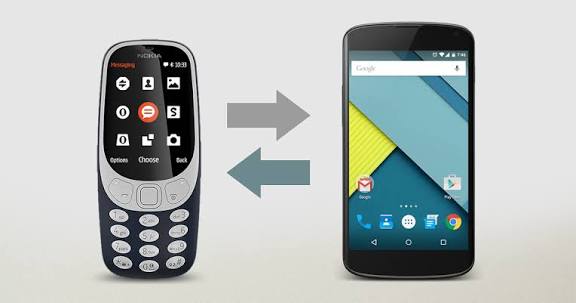
Nowadays, many people love giving their Android devices a unique and nostalgic look — and the classic Nokia interface is one of the most popular choices. The simplicity of Nokia phones, their clean ringtones, and their classic menu style still attract users today. If you also want to turn your Android into a Nokia-style phone, just follow this simple step-by-step guide. The entire process is safe, requires no rooting, and lets you enjoy a vintage Nokia feel while keeping all modern Android features.
The first step is to download a launcher that mimics the Nokia interface. Open the Google Play Store and search for “Nokia Launcher” or “Z Launcher.” These launchers are lightweight and instantly convert your home screen into a simple Nokia-style design. After installation, set the launcher as your default so that every time you use your phone, you experience the Nokia look. The menu icons, app drawer layout, and gestures all change to match the Nokia theme.
The second important step is adding original Nokia ringtones and notification sounds. Search “Nokia Classic Ringtones” on Google and download the tones you like. After downloading, go to Settings → Sounds & Vibration and set your ringtone, message tone, and notification tone to these Nokia sounds. After this step, your phone won’t just look like a Nokia — it will sound like one too.
The third step is to manually customize your widgets and icons. If you want a more advanced and authentic Nokia feel, download icon packs from the Play Store, such as “Nokia Icon Pack” or “Classic Pixel Icon Pack.” These icon packs convert your app icons into the old, flat Nokia-style icons. You can also add a Nokia-style clock widget, such as “Nokia Clock Widget,” which completes the classic home screen look.
The fourth step focuses on wallpapers. Nokia phones were known for their clean and simple wallpapers. Search “Nokia Wallpapers” in the Play Store or download a classic Nokia background from Google. Apply it to both your home screen and lock screen to match the theme.
The final step is maintaining your customization. Open your launcher settings and reduce animations to make your phone run smoothly. Enable the backup option so your theme and layout can be restored easily if the launcher resets.
By following these simple steps, you can transform your Android phone into a vintage Nokia-style device — without any heavy software. This trick is perfect for anyone who loves a retro theme and wants to give their smartphone a unique and nostalgic identity.