Screen Lock Time Password: Mobile Security and Privacy
In today’s digital world, smartphones store highly sensitive personal and financial data. From banking apps and private messages to photos and emails, everything is just one tap away. This is why Screen Lock Time Password settings play a critical role in mobile security, data protection, and privacy control. Many users underestimate its importance, but a properly configured screen lock time and password can significantly reduce the risk of unauthorized access.
This article explains what screen lock time password is, how it works, why it matters, and how to optimize it for maximum security, while also improving battery efficiency and user experience.
What Is Screen Lock Time Password?
Screen Lock Time Password refers to the security feature that locks your mobile screen automatically after a specific time of inactivity and requires authentication (PIN, password, pattern, fingerprint, or face unlock) to access the device again.
It works as a digital security gate, ensuring that even if your phone is lost, stolen, or left unattended, your personal data remains protected.
Why Screen Lock Time Password Is Important
Using a screen lock time password is essential for several reasons:
1. Protects Personal and Financial Data
Your smartphone contains:
-
Online banking apps
-
Digital wallets and payment apps
-
Email accounts
-
Social media profiles
A strong screen lock prevents identity theft, financial fraud, and data breaches.
2. Enhances Mobile Privacy
Screen lock settings ensure that no one can view your private messages, photos, or browsing history without your permission.
3. Prevents Unauthorized App Access
Many apps store login sessions. A screen lock acts as a first line of defense before app-level security.
Types of Screen Lock Passwords
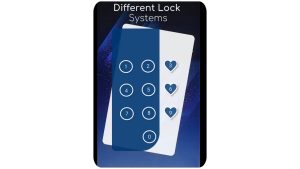
Modern smartphones offer multiple screen lock options:
PIN Lock
-
Easy to remember
-
Faster unlocking
-
Recommended to use 6 digits or more
Password Lock
-
Most secure option
-
Supports letters, numbers, and symbols
-
Best for users handling sensitive or business data
Pattern Lock
-
Visually convenient
-
Less secure if pattern is simple
Biometric Locks
-
Fingerprint unlock
-
Face recognition
-
Fast and user-friendly, but should be combined with PIN or password
What Is Screen Lock Time?
Screen Lock Time determines how long your phone stays unlocked when not in use. Common options include:
-
Immediately
-
15 seconds
-
30 seconds
-
1 minute
-
2 minutes
-
5 minutes
Choosing the right lock time balances security, battery life, and convenience.
Best Screen Lock Time for Maximum Security
For high security:
-
15–30 seconds is ideal
-
Minimizes risk if phone is left unattended
For moderate usage:
-
1 minute works well
Avoid long lock times like 5 minutes, especially if you:
-
Use banking apps
-
Store confidential files
-
Travel frequently
How Screen Lock Time Improves Battery Life
Shorter screen lock time:
-
Reduces screen-on duration
-
Saves battery power
-
Improves overall device performance
This indirectly helps optimize smartphone battery health, which is an important factor for mobile users.
How to Set Screen Lock Time Password (Android & iOS)
On Android:
-
Open Settings
-
Go to Security & Privacy
-
Tap Screen Lock
-
Choose PIN, Password, or Pattern
-
Set Auto-Lock / Screen Timeout
On iPhone:
-
Open Settings
-
Tap Face ID & Passcode
-
Set a strong passcode
-
Go to Display & Brightness
-
Set Auto-Lock time
Common Mistakes Users Make
Many users unknowingly weaken their phone security by:
-
Using simple passwords like 1234
-
Setting long auto-lock times
-
Relying only on face unlock
-
Not changing passwords regularly
Avoid these mistakes to improve mobile cybersecurity.
Screen Lock Time Password and Online Safety
With the rise of:
-
Mobile banking
-
Digital payments
-
Cloud storage
A secure screen lock is directly linked to online safety and digital privacy. Cybercriminals often exploit unlocked devices, making auto-lock settings extremely important.
Best Practices for Strong Screen Lock Security
-
Use a minimum 6-digit PIN or alphanumeric password
-
Enable biometric authentication
-
Set short auto-lock duration
-
Turn on Find My Device / Find My iPhone
-
Avoid unlocking phone in public places unnecessarily
Final Thoughts
Screen Lock Time Password is not just a basic setting; it is a powerful security tool that protects your digital life. By choosing the right password type and optimal lock time, you can prevent unauthorized access, safeguard sensitive information, and enhance overall smartphone performance.
In an era where mobile security, data privacy, and online safety are more important than ever, enabling a strong screen lock is a smart and responsible decision for every smartphone user.